Host Checklist: How to Register Your Tournament on the BI Website (Step-by-Step)

Updated: Oct 8
Hosting a tournament under Buhurt International this season? Here’s a quick reminder of what hosts need to do to get their event properly registered, approved, and published — with clear info for teams, fighters, marshals, and spectators.

1) Confirm the tournament with your National Organisation (NO) first
Before registering anything on the BI website, make sure your tournament is officially agreed and approved with your National Organisation.
Together, confirm:
official tournament date(s)
event format and categories
who is the official host/organiser
the BI tournament status you’re aiming for
2) Choose the correct BI tournament status
With your NO, decide which status your tournament fits into:
Exhibition
Source must be submitted to BI 45 days in advance
Classic must be submitted to BI >45 days in advance
Regional must be submitted to BI 90 days in advance
Conference must be submitted to BI 120 days in advance
📌 If you’re unsure what your event qualifies for, check the Tournament Structure / Policies in the BI rules (available on the website), or contact BI directly.
3) Prepare all key information BEFORE registration
To avoid delays, edits, and missing details later, please have the most important info ready before submitting the event.
This includes:
full tournament dates (and possible arrival day)
registration start date + registration end date
location / venue details
the official Facebook Event link (required)
4) Register the tournament on the BI website
Anyone with a BI account can register a tournament.
✅ We highly recommend registering from your National Organisation profile whenever possible (but registering from a fighter profile is also allowed).
📌 Just remember which profile you used, because that’s where you’ll be able to edit the tournament later.
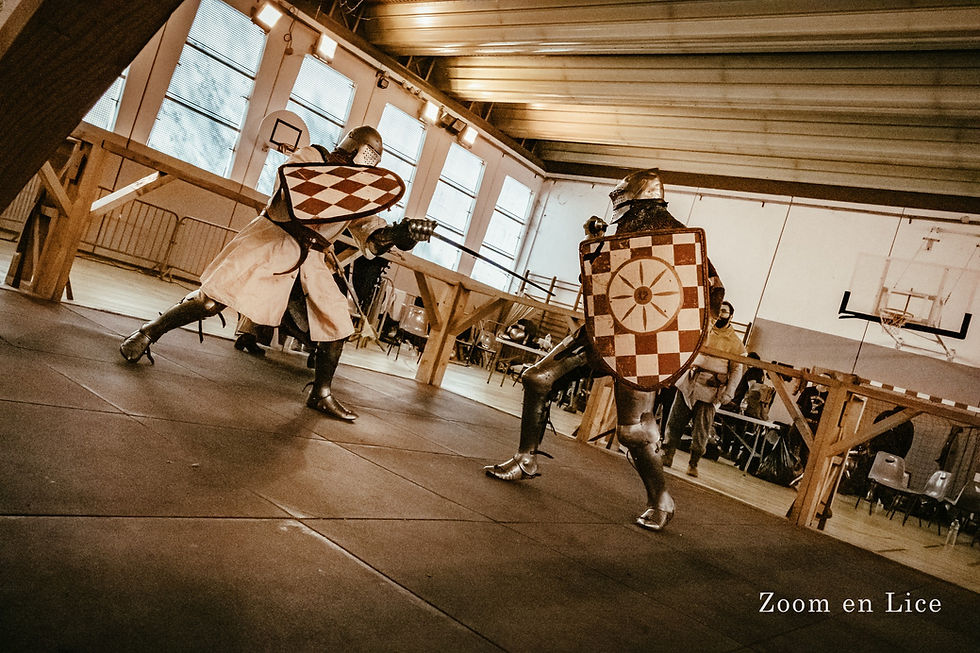
5) Upload a high-quality photo for the official BI poster (required)
During registration you must upload a high-resolution photo that BI will use for:
the official BI tournament poster
the tournament page on the website
BI social media promotion
📸 Photo guidelines:
sharp, high quality (not blurry / not pixelated)
preferably an action photo from a previous edition
if it’s a new event: an action photo that represents the tournament vibe
If the photo isn’t suitable, the BI Media team will contact you to request a better one.
6) Upload ONE host logo (required)
You will also upload one logo to be placed on the poster.
This can be:
your National Organisation logo
your team logo
a local host / organiser logo
(Just one logo — it will be used on the final BI poster.)

7) Choose categories and add participation limits (VERY important)
To help teams and fighters plan properly, include any limits clearly in the tournament information, such as:
maximum number of teams
maximum number of duelists
categories and its limits (men/women, 5v5 / 12v12 etc.)
waiting list rules (if applicable)
This reduces confusion and prevents unnecessary questions later.
8) Add livestream information (if available)
Please include whether the tournament will be streamed — because this is one of the most asked questions.
If yes, add:
will a livestream be available?
where? (YouTube / Facebook / other platform)
link (if already known) or “link coming soon”

9) Fill the description with practical info (the more detailed, the better)
Your tournament description should help teams, fighters and staff plan properly — so don’t be afraid to add details.
For teams & fighters, include:
full schedule for each day (Fri/Sat/Sun if applicable)
arrival / check-in times
briefing time
weapon check / armour check time
when fighters should be ready on site
approximate start time for fights (duels / buhurt/outrance)
sleeping options / camping / accommodation
food availability / nearby options
For marshals & staff, include (if possible):
expected marshal arrival time
where marshals should report / meeting point
any requirements (equipment, briefing, paperwork, etc.)
Tournament admin / results team (highly recommended):
We strongly recommend hosts organise a small tournament admin team (your event “secretaries”) responsible for:
keeping scores and brackets in order during the event
collecting final results cleanly and correctly
helping ensure results can be uploaded smoothly on the BI website after the tournament
This makes everything faster, clearer, and avoids missing/incorrect results later.
And if needed: BI can also organise a Tournament Committee workshop to support hosts and admin teams — to learn the process, clarify requirements, and make sure everyone feels confident with results handling and reporting.

10) If something isn’t confirmed yet — don’t leave it blank
If you don’t have certain information ready at the time of registration, please still mention it clearly instead of leaving it out.
✅ Best practice is to write it as:
“To be announced (TBA)”
“Details coming soon”
“Will be confirmed by [date]”
“Will be announced on the Facebook event by [date]”
This helps teams plan ahead and reduces repeated questions like “schedule?” “stream?” “limits?” “arrival?”
11) Approval + publication
After submission:
BI Media team will create poster
BI will request confirmation from the National Organisation
you’ll receive an email from the Tournament Committee once approved
the tournament will be published on the BI website
12) Editing after publication (important!)
You can edit the tournament details yourself from the profile you registered it from (host profile / NO profile / fighter profile).
📌 Poster changes: If you need to change the poster photo or logo, please contact the Media Team — hosts can’t edit the official poster themselves.
REGISTER YOUR TOURNAMENT HERE:
https://www.buhurtinternational.com/eventregistration
Need help?
If you’re unsure about anything while registering your tournament, it’s always better to ask before submitting.
📩 Contact the Tournament Committee (or use the website chat / official BI contact).


